
Loose Moose Tracing
Bitmap tracing software for turning simple artwork into clean CNC plasma cutting paths.
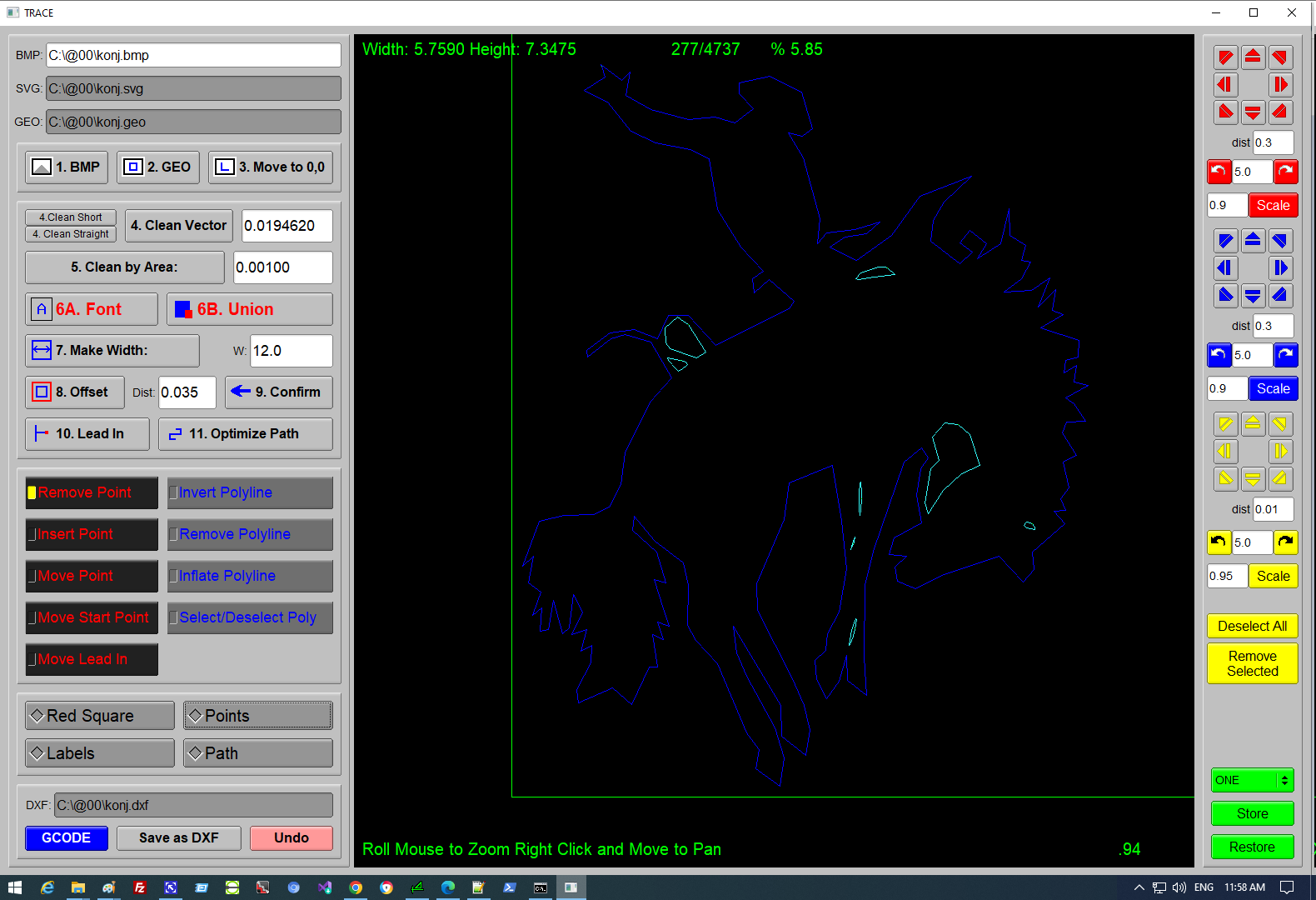
Loose Moose Tracing takes monochrome BMP artwork, traces it into vector geometry, cleans the result, sizes the design, adds lead-ins, optimizes the cutting path, and exports machine-ready G-code.
What it does
Loose Moose Tracing is built for practical shop artwork workflows: logos, lettering, decorative designs, and other monochrome images that need to become CNC plasma cut files. Operators can load an image, trace it, remove unwanted geometry, resize it to a real-world dimension, add lead-ins, review travel, and export G-code.
Core workflow
- Prepare a clean black-and-white BMP in MS Paint or another image editor.
- Load and trace the bitmap, then move the drawing origin to
0,0. - Use
Clean VectorandClean by Areato reduce point count and remove small unwanted polylines. - Set the cut size with
Make Width. - Add lead-ins, optimize the path, and keep the path overlay enabled while reviewing travel.
- Edit points, move start points, combine elements with union tools, and add stencil-friendly text when needed.
- Generate G-code after tracing, cleaning, sizing, lead-in setup, and path optimization.
Interface features
- Color-coded cut feedback for outside cuts, inside cuts, text cuts, and selected elements.
- Mouse-wheel zoom and right-drag panning for reviewing detailed artwork.
- Toggle overlays for start points, labels, points, and travel path review.
- Point and polyline editing tools for removing, inserting, moving, selecting, inflating, and inverting geometry.
- Storage and restore slots for combining smaller traced elements into a larger design.
Where it helps
Loose Moose Tracing is useful for CNC plasma operators who need to turn clean monochrome artwork into cut-ready G-code for signs, shop artwork, decorative plates, and stencil lettering without moving the job through a larger CAD/CAM workflow.
Videos
The Loose Moose video page has walkthroughs for tracing, cleanup, text, union tools, lead-ins, and G-code output.